📸
Capture & camera
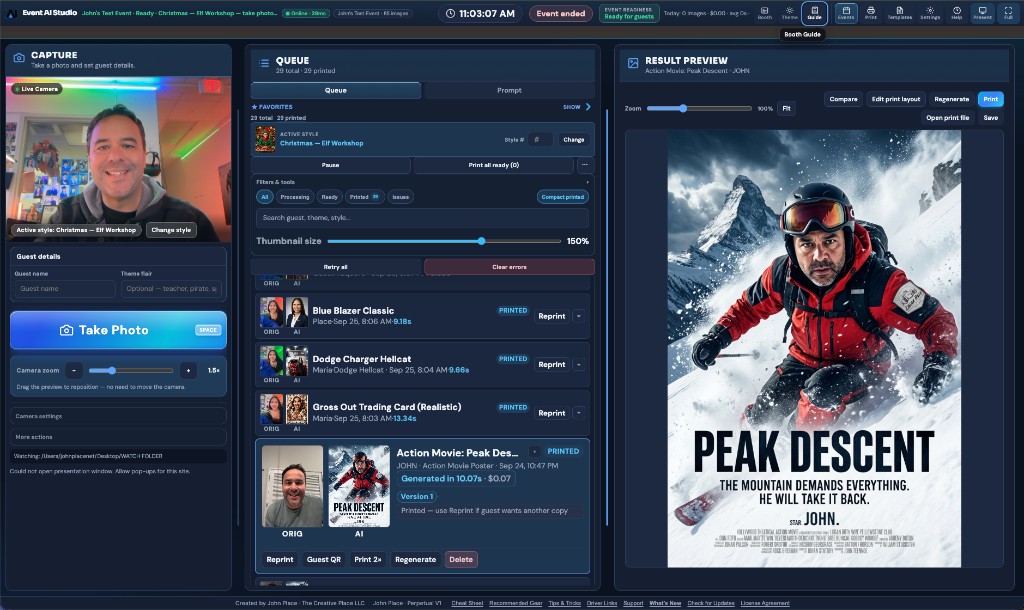
USB webcam live preview, digital zoom, image controls on supported cameras. Optional watch folder for Canon/Sony/Nikon tether. Spacebar shutter. Import from disk.
✨
AI templates & prompts
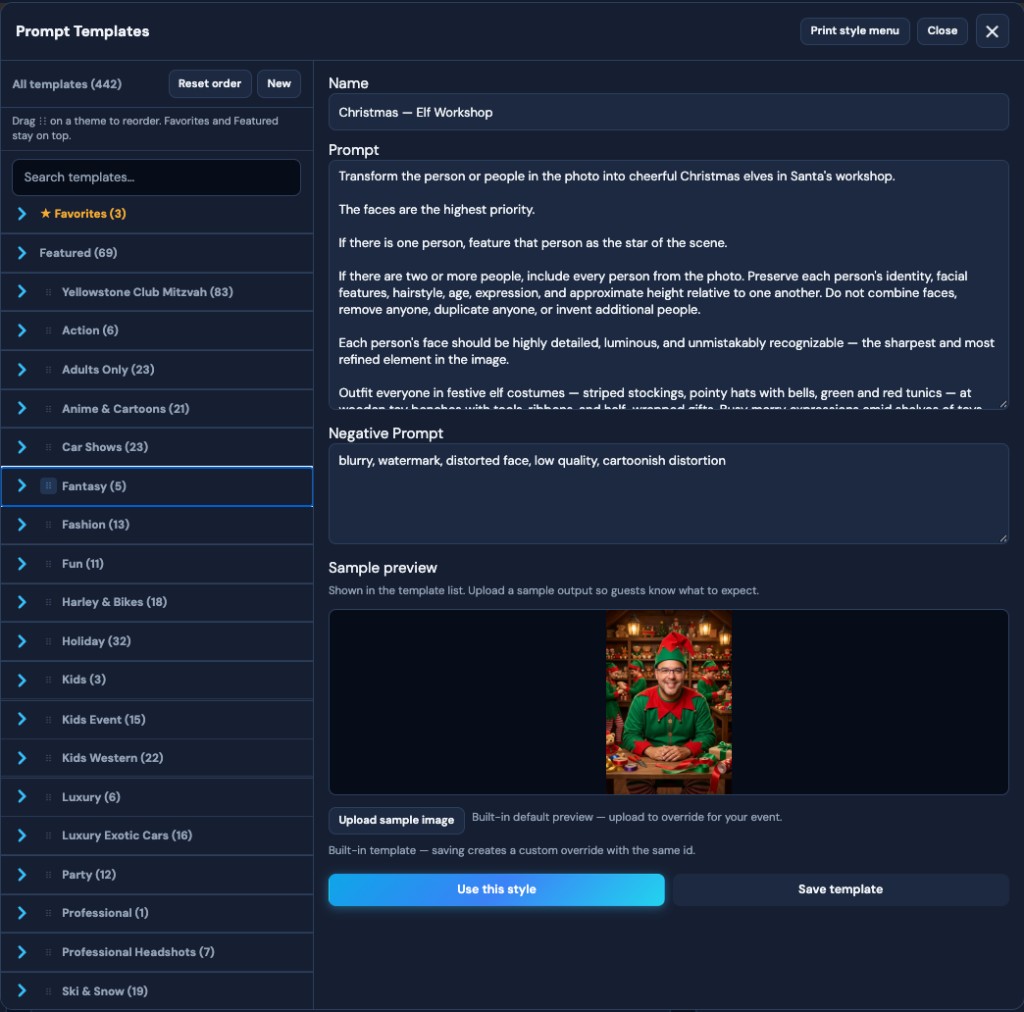
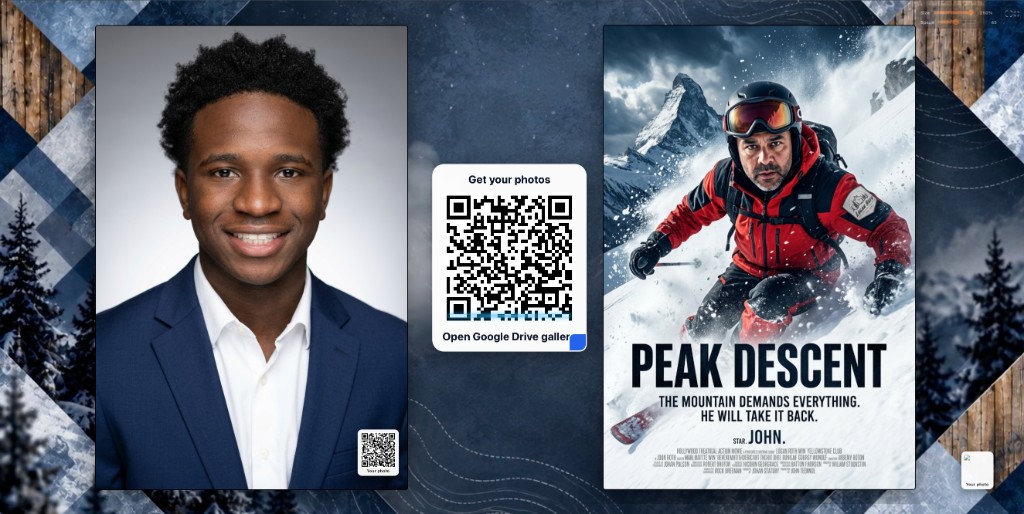
400+ premade styles — superhero, coloring book, western, anime, car shows, ski & snow, movie poster, sports card, and more. Guest names and event logos weave into the AI scene itself.
🤠
Category style packs
Western & Kids Western, Magazine Covers, Anime & Cartoons, Car Shows, Harley & Bikes, Luxury Exotic Cars, Ski & Snow, Holidays, Kids Events, mitzvah packs, and more.
✏️
Guest name at capture
Attendant enters each guest’s name before Take Photo. Names flow into the live prompt for personalization guests actually notice.
🏷️
Logo inside the image
Upload the client or event logo once. The model places it on signage, uniforms, packaging, and props within the generated artwork.
📋
Smart queue
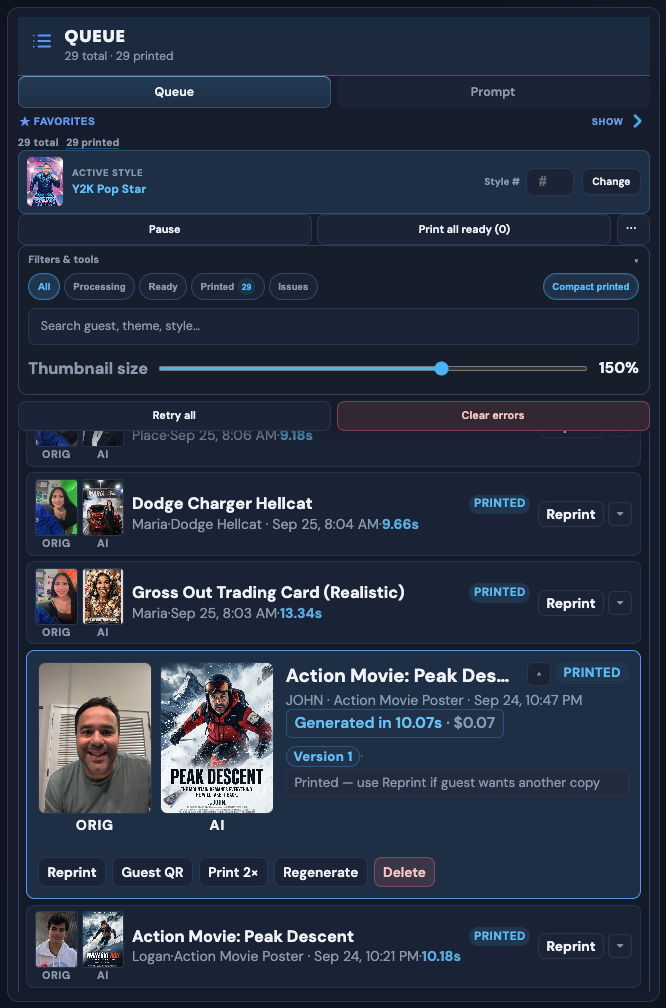
Live jobs with ORIG vs AI thumbs, generation time, and cost. Print all ready, pause, retry failed jobs, compact printed rows.
🖨️
Print setup
Per-event print layouts. Send to printer or hot folder. Edit layout from the result preview without leaving the booth.
🖥️
Presentation display
Second-screen slideshow for guests. Cloud gallery QR (Google Drive / Dropbox) so phones leave with files — not just a pretty print.
🔑
Bring your own API
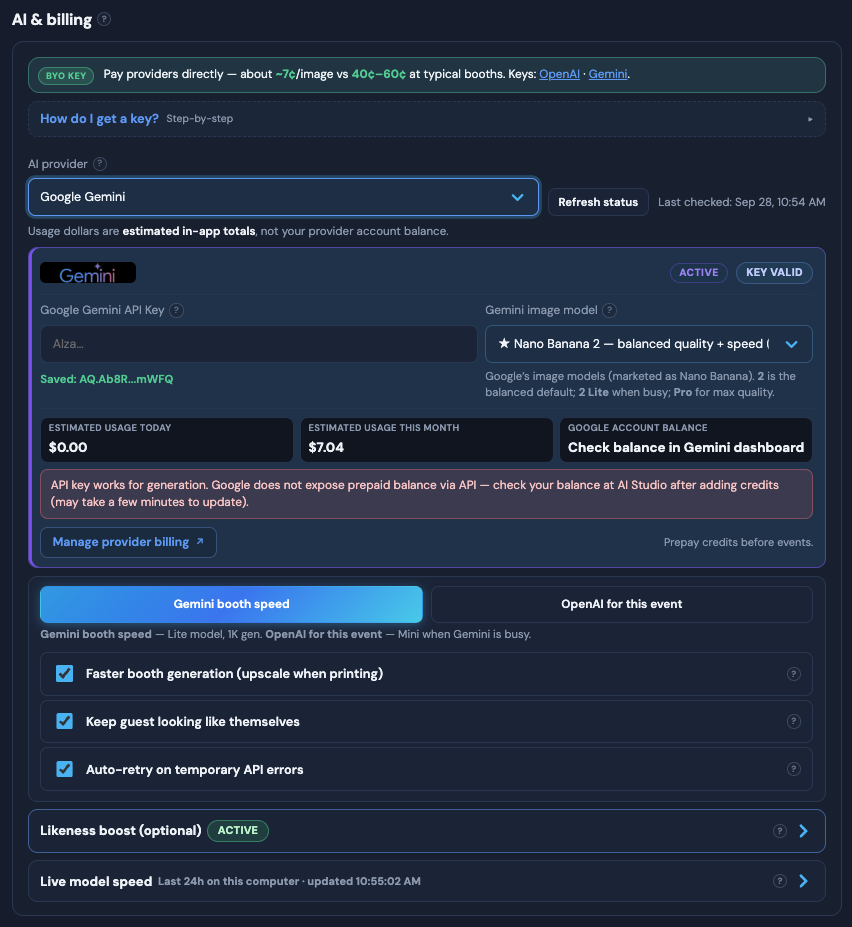
Gemini or OpenAI keys in Settings. No generation credits sold by us. Transparent per-image cost from your provider.
🎨
Compare, regenerate & likeness
Side-by-side original vs AI. Regenerate with the same photo. Keep guests looking like themselves.
📁
Hot & watch folders
Fits pro photographer workflows and classic booth hardware setups alike.
⚙️
Appearance & workflow
Match the venue vibe and how hands-on you want the attendant to be — changes apply instantly.
🔄
Auto-update & What’s New
Stay current without IT tickets mid-season.
❓
Built-in help & beta feedback
Operators get answers without leaving the booth. Submit feedback, report bugs, vote the roadmap.