The AI booth guests line up for — and you actually keep the money
Run a full AI photo experience on your laptop: capture, generate unique art in ~10 seconds, print, and share to a guest TV — without paying credit-booth markups. One $1,500 gig covers the year.
BYO keyPay Gemini or OpenAI directly — no generation credits from us
Live queueProcessing, ready, printed, issues — reprint in one tap
Guest TVPresentation slideshow + gallery QR on a second monitor
$999/yrOr founding lifetime — paid off in one or two nights
Built for your business
Whether you shoot events or own booths
Same software. Two ways it makes you money.
Event photographers
Add an AI activation to weddings, mitzvahs, corporate nights, and brand shoots — without a second software stack.
Guest names on movie posters & sports cards
Client logo woven into the AI scene
Watch-folder friendly for tethered DSLRs
Cloud gallery QR so guests leave with files
Photo booth owners
Keep the line moving, the printer humming, and your margins intact when every guest wants “the AI one.”
Spacebar capture + auto-generate
Print-all-ready, pause, retry, and clear errors
Hot folder out to Snappic / Breeze / similar
~7¢ AI cost vs 40–60¢ credit booths
Command center
One screen for capture, queue, and the money shot
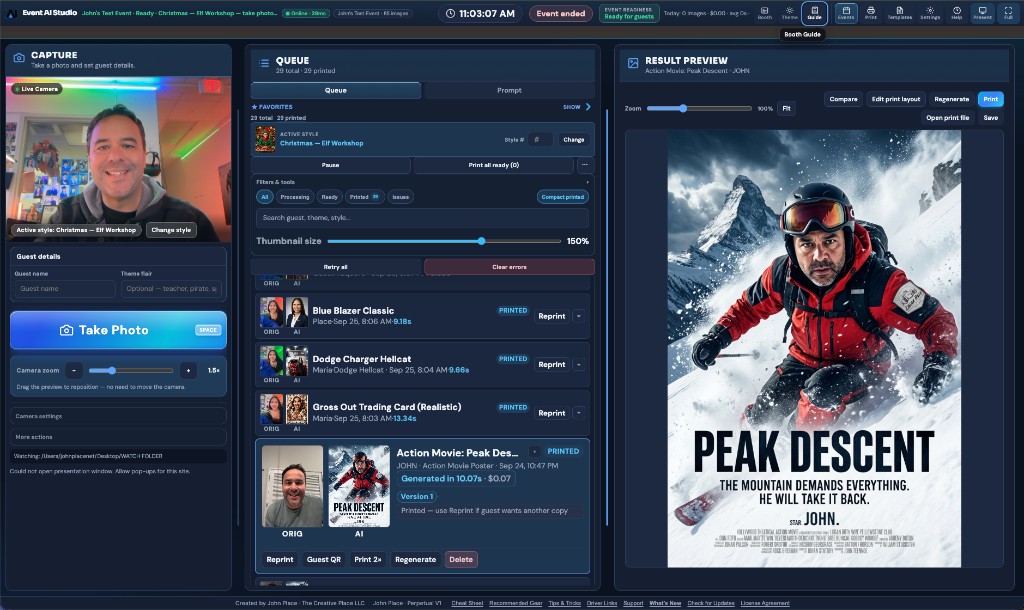
Camera on the left, live jobs in the middle, full result preview on the right. Operators stay in the booth flow — no alt-tabbing when the line is twenty deep.
Event readiness badge so you know you’re green before doors open
Live clock with seconds + event status in the top bar
Online latency, image counts, and today’s spend at a glance
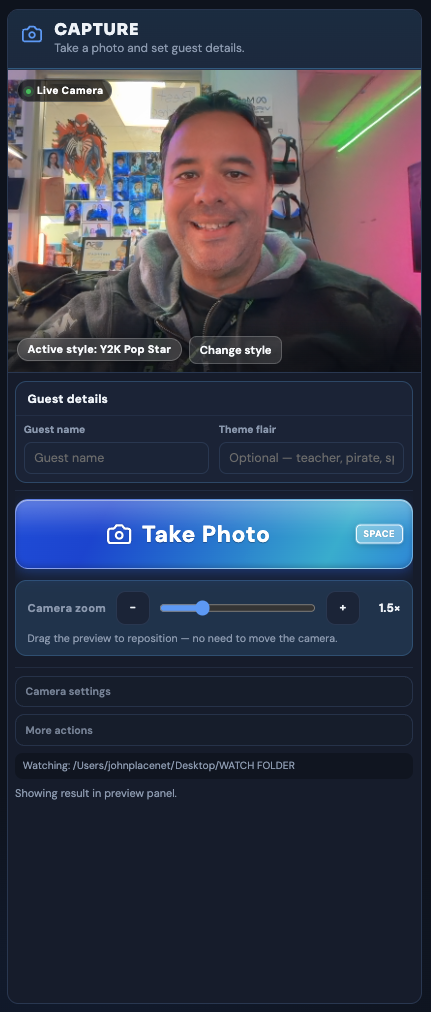
Live webcam preview, digital zoom you can drag to reframe, Spacebar shutter, and optional theme flair so each guest gets a personal touch.
Active style always visible — change mid-line without leaving capture
Guest name + flair fields feed straight into the AI prompt
Watch folder for Canon / Sony / Nikon tether workflows
Auto-generate after capture, or confirm before you burn an API call
The wow
Hollywood-grade souvenirs — not a filter overlay
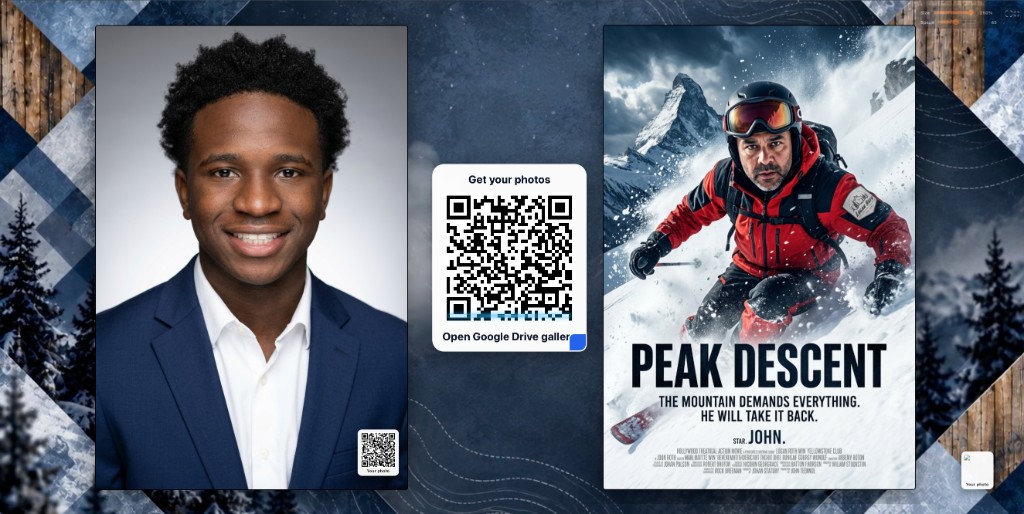
Guests become the star of a movie poster, ski hero shot, elf workshop, or luxury car scene. Same template, different art every time — so nobody walks away with a clone of the person ahead of them.
Print · Compare · Regenerate · Save right on the preview
Edit print layout without leaving the booth
Guest name baked into titles and credit blocks
Likeness-aware generation so people still look like themselves
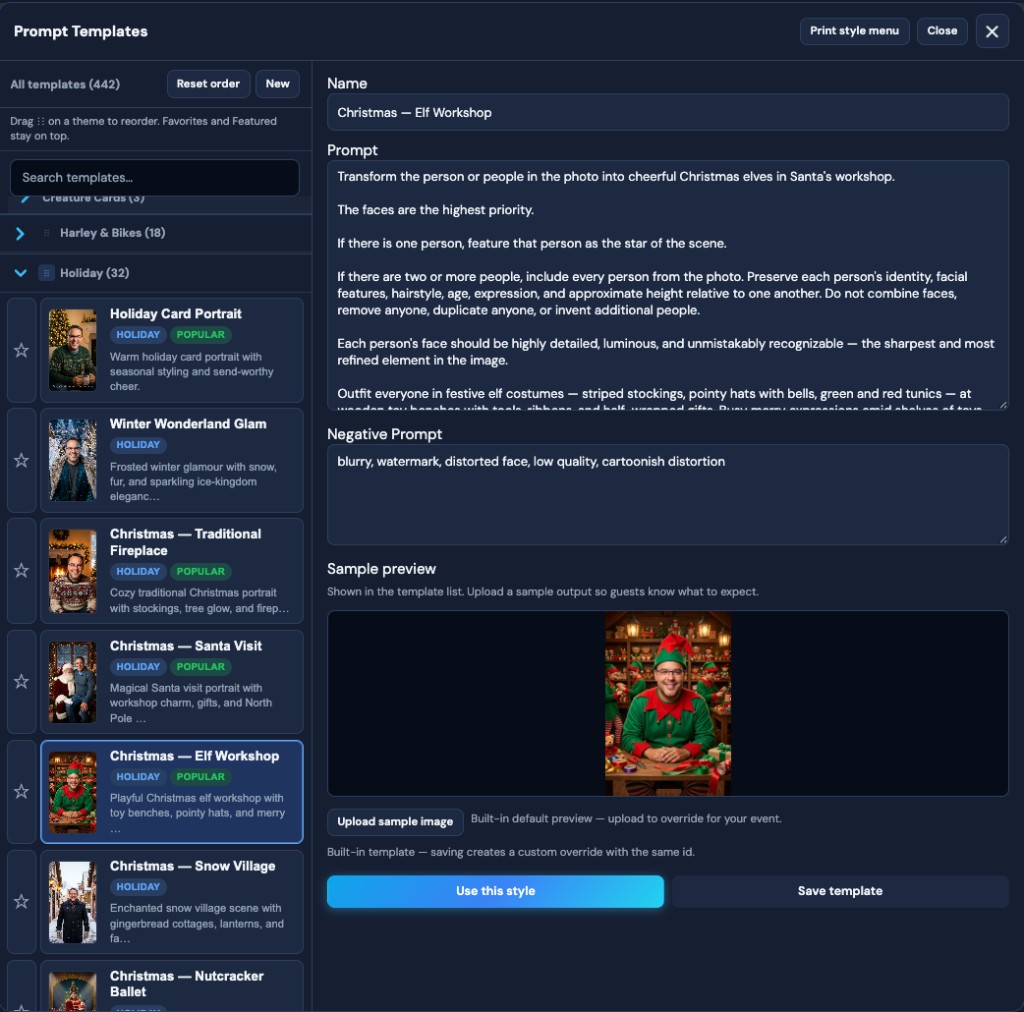
400+ styles · real sample output
Queue
Built for event-day chaos
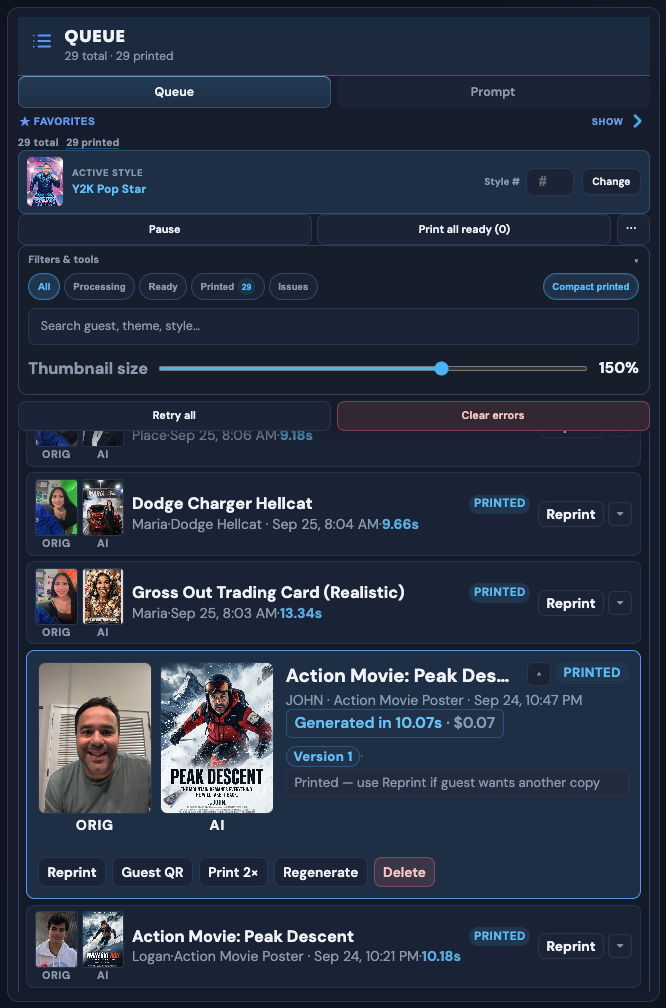
When three people want reprints and the printer just jammed, you need filters, pause, retry, and one-tap actions — not a buried ⋯ menu.
Filter All · Processing · Ready · Printed · Issues
Put the wow on the big screen — and in their phones
Second-monitor slideshow shows final AI images as they land. Guests scan a gallery QR (Google Drive or Dropbox) and leave with their files — no Wi-Fi scavenger hunt required when cloud is connected.
Auto-show latest generation so the TV always feels live
Holidays, ski & snow, luxury cars, Harley, anime, kids western, professional headshots, mitzvah packs, and custom event folders. Favorites and Featured stay on top for one-tap booth switching.
Search, star favorites, drag themes to reorder
Sample previews so guests know what they’re picking
Full prompt + negative prompt control when you want it
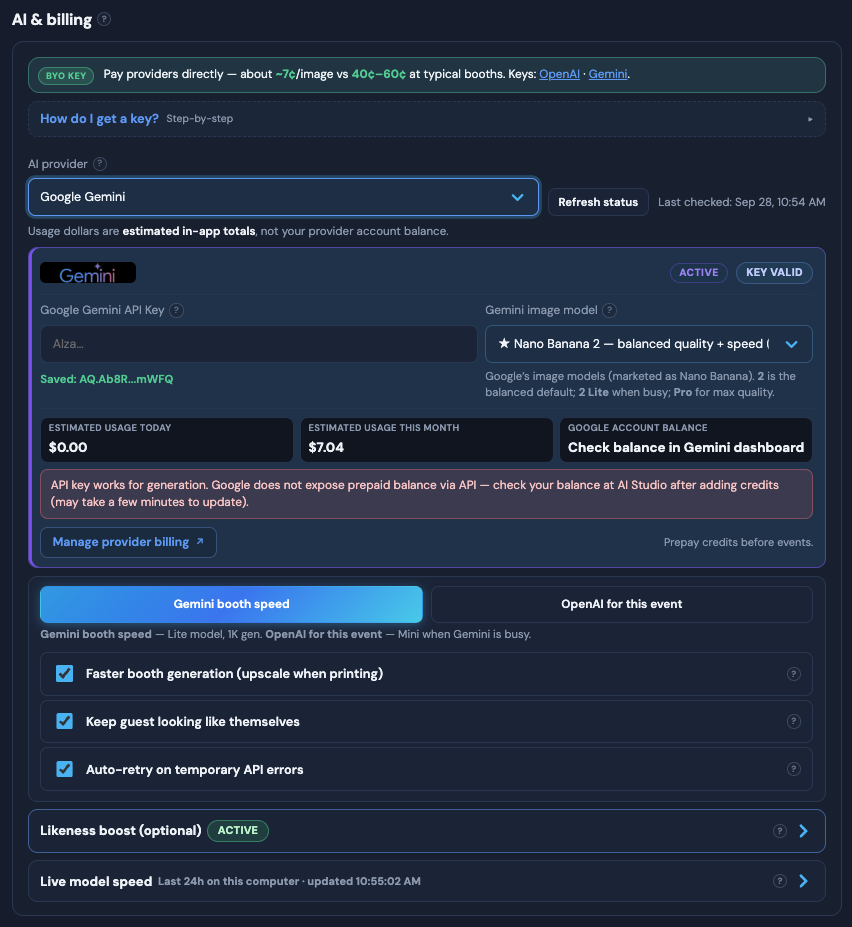
Bring your own OpenAI or Gemini key. Pay providers directly at about ~7¢/image instead of 40–60¢ bundled. Track today’s and this month’s spend inside the app.
Gemini for booth speed · OpenAI fallback when Gemini is busy
Faster booth generation with upscale-on-print
Keep guest looking like themselves · likeness boost
Auto-retry on temporary API errors
More that wins the night
Pro settings without the learning curve
Booth workflow — auto-generate, confirm before generate, clear printed jobs, sound on completeAppearance — ten themes from booth-pro light to midnight gold; changes apply instantlyPresentation — slideshow speed, transitions, video backgrounds, gallery QR
Workflow
Guest in, AI art out, print in hand
1
Capture
Webcam or tether folder. Spacebar shutter, auto-generate, guest names optional.
2
Stylize
Pick a template — every guest gets unique AI art. Name and logo weave into the scene, not a flat overlay.
3
Queue
Watch processing, ready, and printed. Print all ready, reprint, guest QR, regenerate.
4
Deliver
4×6, strips, layouts. Hot folder to Snappic/Breeze. Presentation TV + cloud gallery QR.
Run demo mode at home — every feature, watermark until you activate. 1 Year $999/yr, or grab founding perpetual at $1,999 (reg. $2,499) before the first 25 sell out.